CRM for a car service: bookings, repairs and parts
A garage loses not hours but agreements: what the customer approved, which part we are waiting for and when the car will be ready. In ModalCRM bookings are kept per mechanic, a repair is a ticket with a car card and an estimate the customer approves by link, and parts are reserved in the warehouse.
Bookings by mechanic
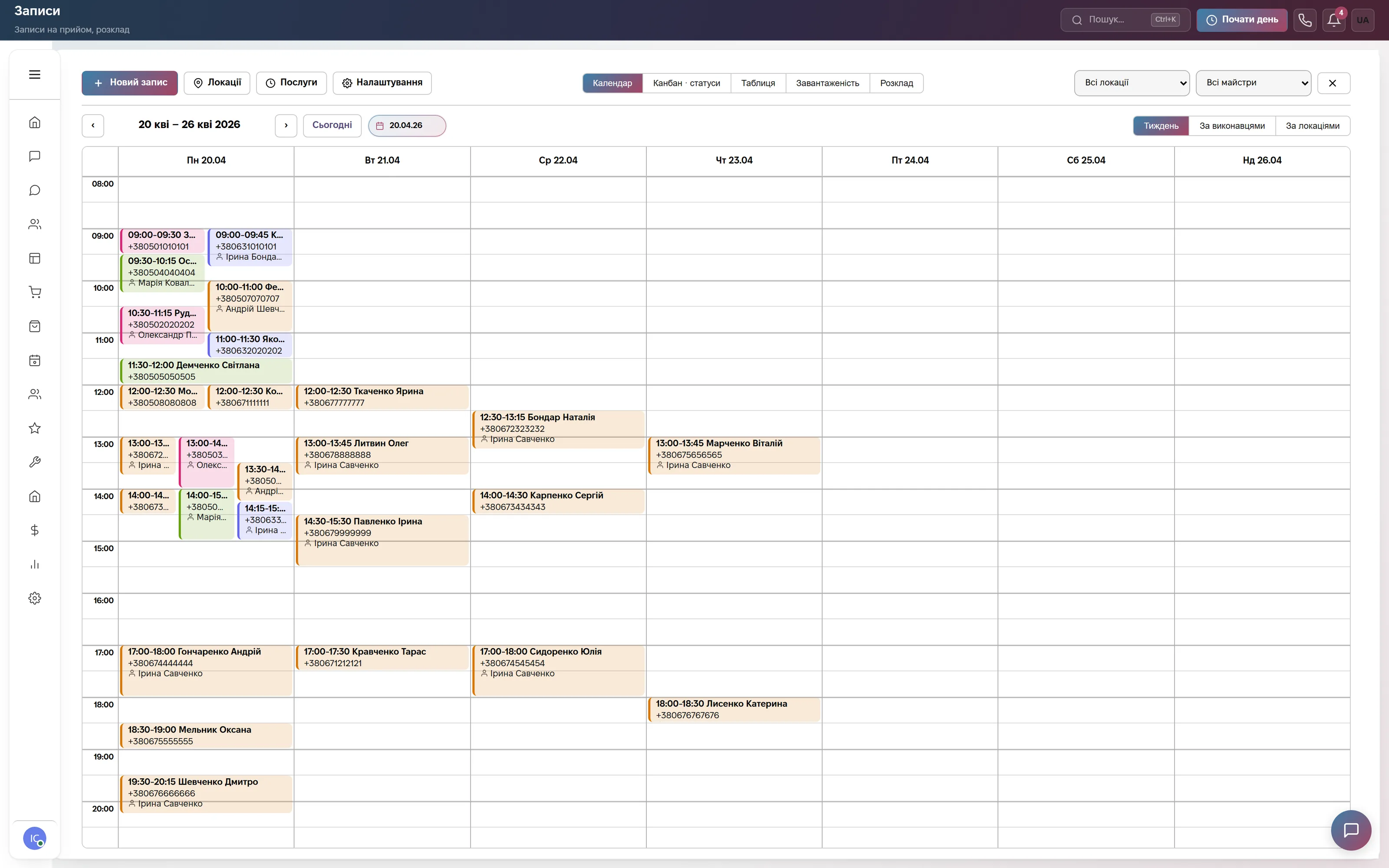
A weekly booking calendar with tabs for Calendar, Kanban statuses, Table, Workload and Schedule; the All locations and All masters filters, a Week, By assignees, By locations switch, a New Appointment button and the Locations and Services lists.
A booking is tied to a mechanic, a service and a location. There is no separate lift or bay resource: if one mechanic works a bay, their calendar is the bay schedule. Customers can book on their own through the site widget; up to two reminders, free in chat or Telegram, SMS and Viber are paid.
A ticket as a repair order
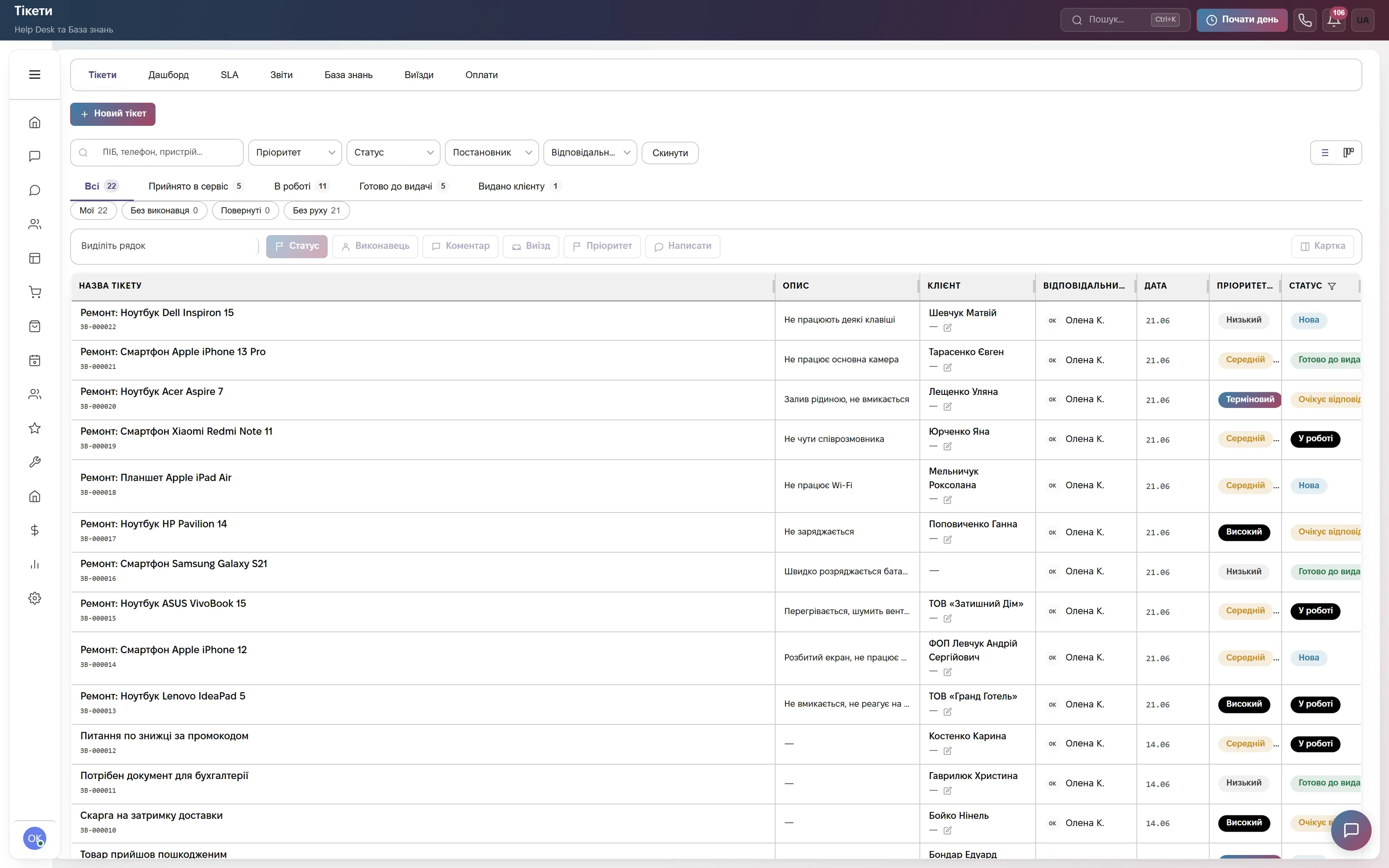
The ticket list with tabs Tickets, Dashboard, SLA, Reports, Knowledge Base, Field Visits and Payments; stage pills Received, In Progress, Ready for Pickup and Handed Over with counters; quick filters Mine, Unassigned and Stalled.
The device card holds brand, model, a Serial number / IMEI field, accessories and physical condition, with warranty kept separately. There is no VIN or mileage field: put the VIN into the serial number. The Received status is set automatically as soon as a brand or a number is filled in.
Estimate approval and waiting for parts
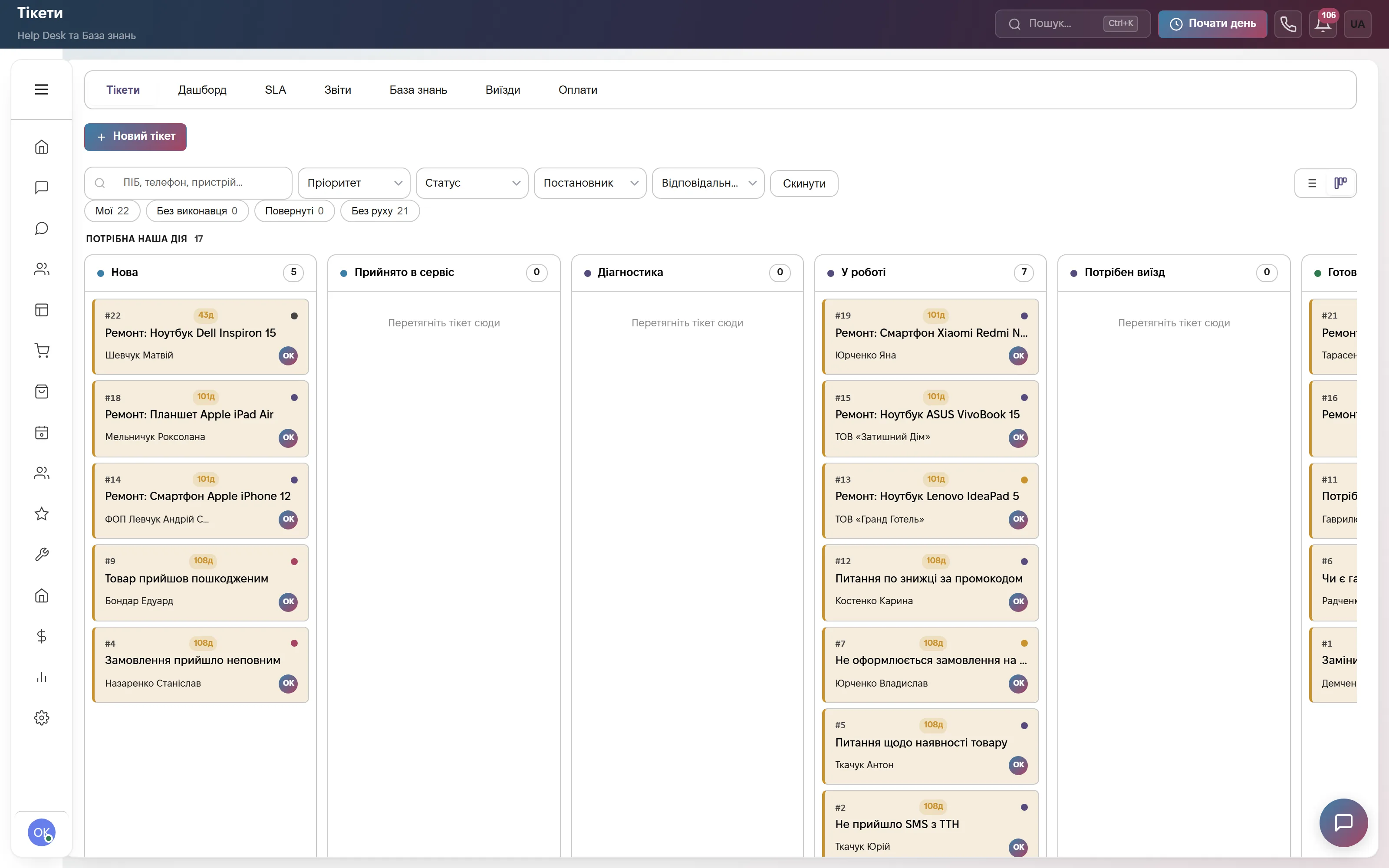
A kanban by status: New, Received, Diagnostics, In Progress, Needs Field Visit, then those ready for pickup. A card shows the number, subject, customer, assignee and days in status; the Our action needed counter sits on top.
After diagnostics the manager enters a cost and a term under Repair estimate and sends it for approval; the Awaiting Approval status requires a cost. The customer approves or declines the estimate on the status page by link, and after approval the ticket moves to In Progress. Awaiting Parts requires an expected date, and the SLA clock is paused meanwhile.
Parts: reservation and write-off
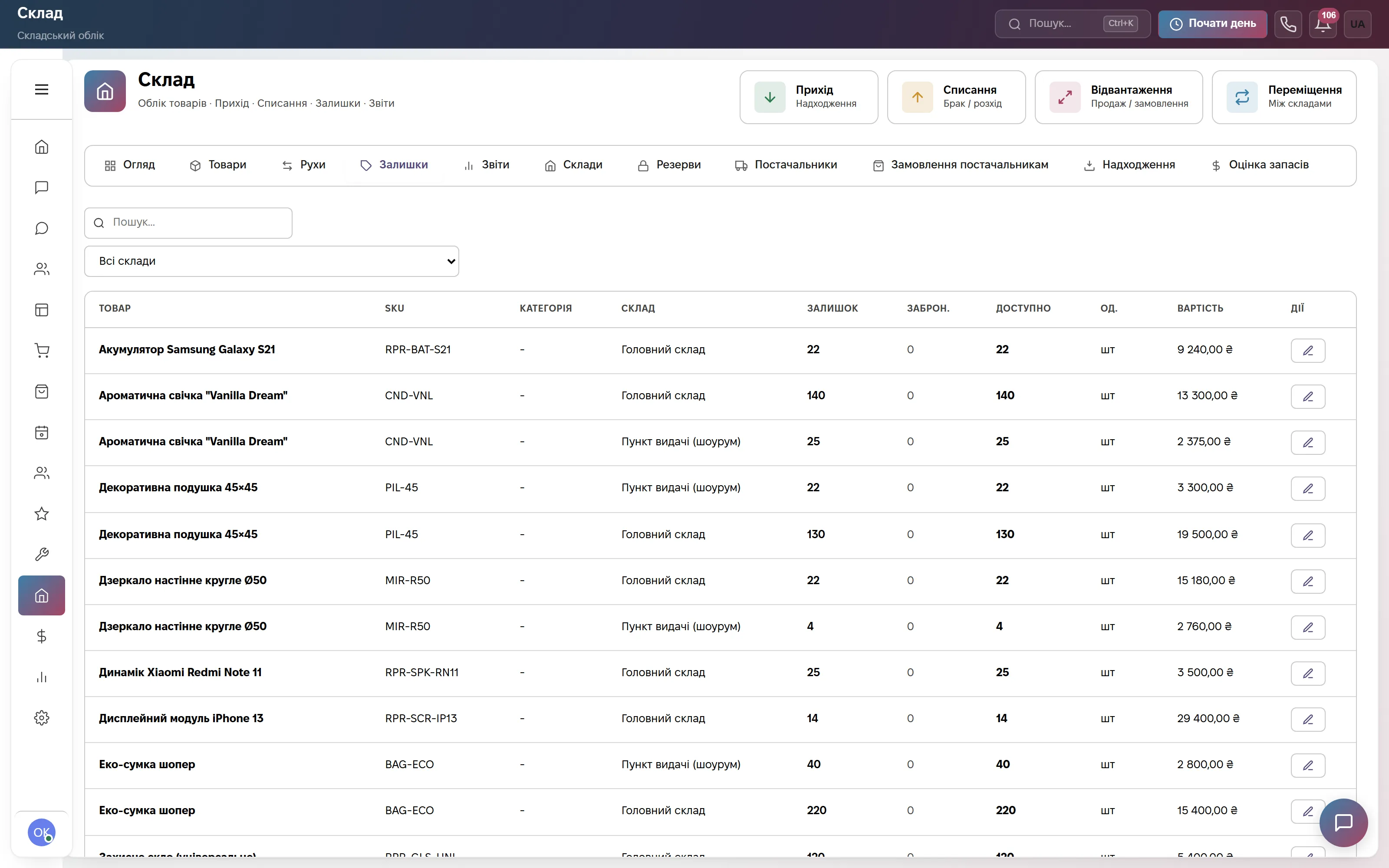
The warehouse: buttons Receipt, Write-off, Shipment and Transfer; tabs Overview, Products, Stock, Warehouses, Reservations, Suppliers and Supplier orders; columns On hand, Reserved, Available and Cost.
Rows under Products and services in the ticket reserve parts, and they are written off only on Close Ticket; the Handed Over and Declined statuses release the reservation without a write-off. A daily warning about the minimum stock arrives, and a supplier order can go out as a PDF or by email. The warehouse is on Commerce and «Everything included».
Money per repair
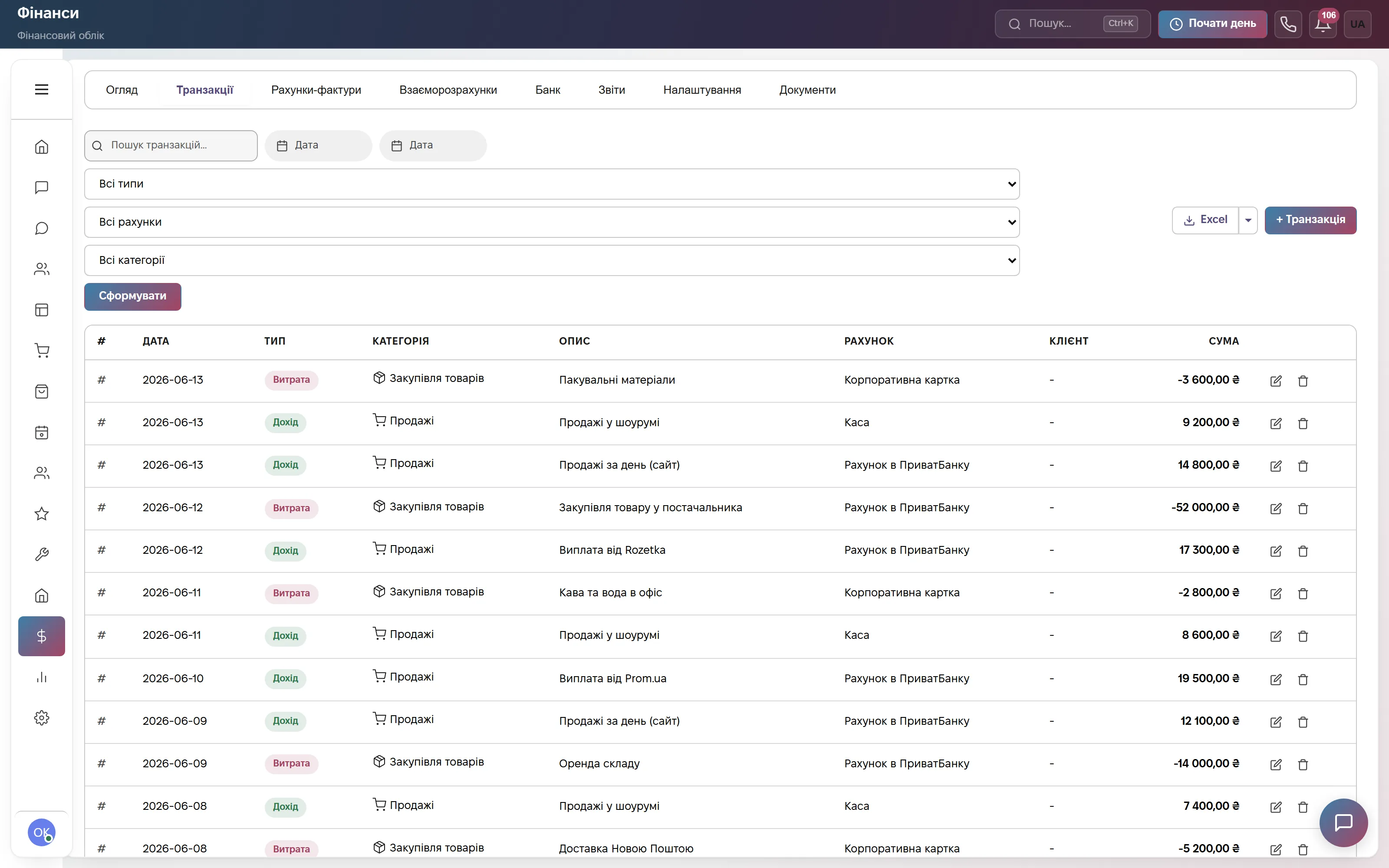
Finance: tabs Overview, Transactions, Invoices, Settlements, Bank, Reports, Settings and Documents; a transaction table with the Income or Expense type, category, account and client.
An invoice or an act is created from the ticket rows (numbers INV- and ACT-, VAT as a percentage), the Payments tab shows what is paid, and a fiscal receipt can be issued when needed. This is management accounting: there is no tax reporting or BAS here.
Which modules to turn on
What it costs
Site chat, messengers and a three-step bot. One user, 600 replies a month. No bookings or tickets here. Forever, no card.
Bookings by mechanic and location, repair tickets with an estimate, calls, chats, mailings and deals. No warehouse or finance here. Team of up to 3, then +200 ₴ per user.
Bookings, tickets, a parts warehouse and finance together, plus automations, HR and the client portal. Team of up to 10, then +200 ₴ per user.
Quarterly billing is 8% off, yearly 17% off. Rozetka, Prom and Nova Poshta integrations are not charged separately.
Frequently asked questions
How do I run a repair from booking to handing the car back?
The booking is recorded per mechanic and location. On the day of the visit a ticket with a car card is created, and after diagnostics the estimate goes to the customer for approval by link. Parts are reserved from the ticket rows, and while waiting for a part the SLA clock is paused. The finished car is handed over, and on closing the ticket the parts are written off and an invoice or act is created.
How much does a CRM for a car service cost?
The Bookings plan is 900 ₴ a month per company for up to 3 users, then +200 ₴ per extra user. If you need bookings, a warehouse and finance together, that is «Everything included»: 2,200 ₴ a month for up to 10 users. Paying for a quarter takes 8% off, for a year 17% off. The first 14 days are free, no card.
Is there a car card and a history by VIN?
There is no separate car card. The VIN goes into the Serial number / IMEI field of the ticket, make and model into brand and model. Tickets and bookings have no custom fields, but you can add them to the customer card (for example, a plate number). There is no mileage field and no mileage-based service reminders.
Are there work orders, labor-hour norms and parts catalogs?
No. An invoice or an act is created from the ticket rows, but there is no regulated printed work order form, no labor-hour norms, no VIN decoding and no connection to parts catalogs. A booking does not reserve a lift or bay separately, only a mechanic and a location.
Does it replace accounting?
No. Finance is management accounting of income, expenses and invoices, not tax reporting or BAS. Data is stored on servers in Europe (Hetzner), the provider is sole proprietor Lazukina Viktoriia Anatoliivna, Ukraine; terms are in the public offer on the site.
See bookings and tickets live
A demo account with bookings, tickets, a warehouse and finance, no signup; there is no separate demo for car services. Or try the full plan free for 14 days, no card required.