CRM for a call center: calls, chats and missed calls under control
A call center loses customers not on long conversations but on missed calls. The customer dialed, nobody picked up, and they will not call a second time. In ModalCRM the operator takes calls right in the browser, everyone who is On duty sees an incoming call, and every missed call becomes a Call back task with a deadline. Messenger chats live in the same window.
Call log and call analytics
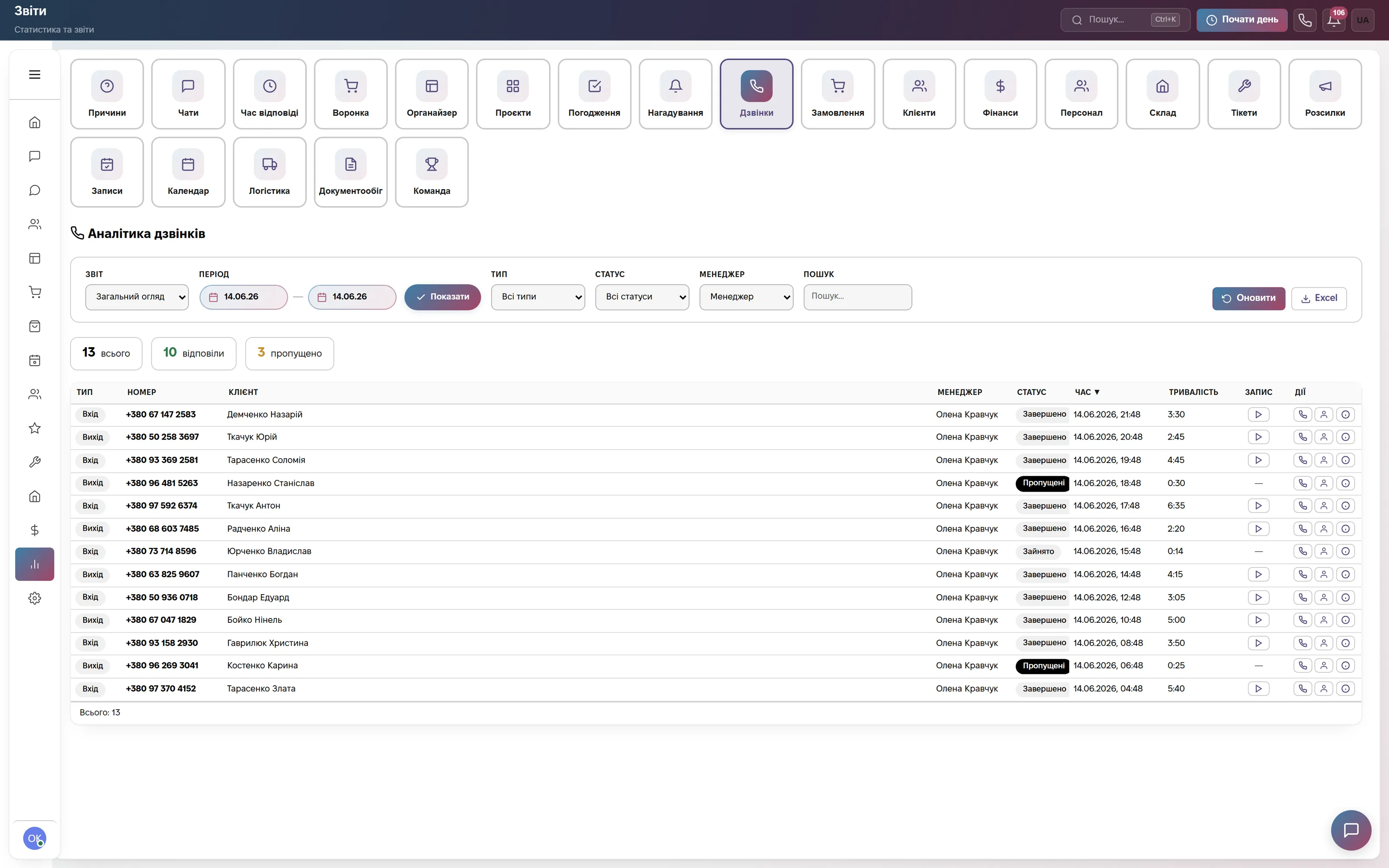
The Reports section is open on Calls: counters for total, answered and missed; filters by report, period, type, status, manager and number; a log with the columns Type, Number, Client, Manager, Status, Time, Duration and Recording. Reports: Overview, By operators, Longest, Missed.
There is a Response wait column and an Excel export of up to 10,000 rows. Call recordings appear only when the connected provider supplies them (Binotel, UniTalk, Ringostat, Zadarma, CallsApp): the CRM itself does not record conversations.
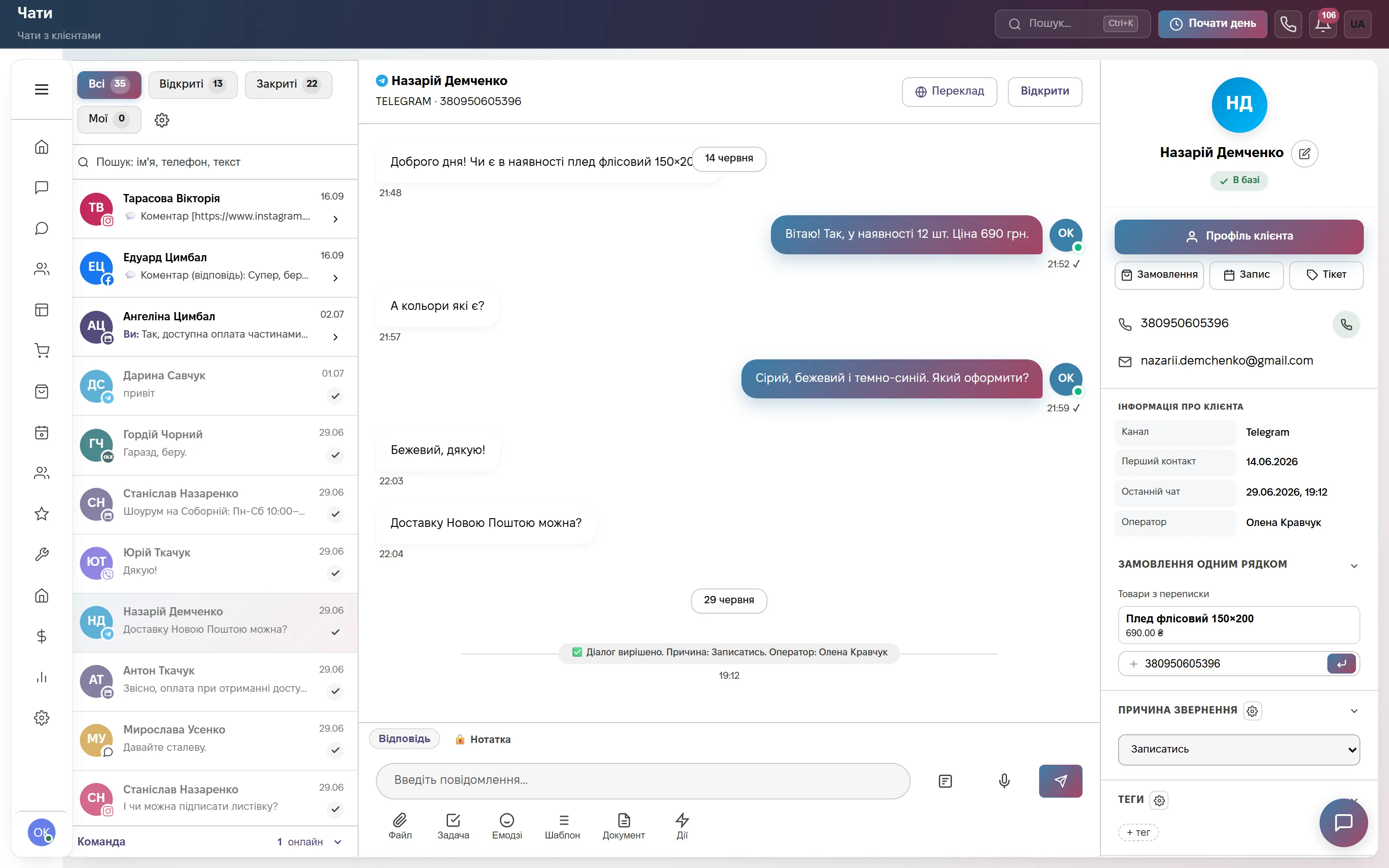
Chats next to calls
The chat window has tabs All, Open, Closed and Mine; on the right is the customer card with the Order, Appointment and Ticket buttons and a Reason for contact field. At the bottom left you can see how many colleagues in the team are online.
New dialogs are distributed round-robin among operators with the Available status. If there is no reply for longer than the threshold (15 minutes by default), an email goes to the assignee, the admins or extra addresses, and there is an escalation too. The threshold and working hours are set in the Response time report settings.
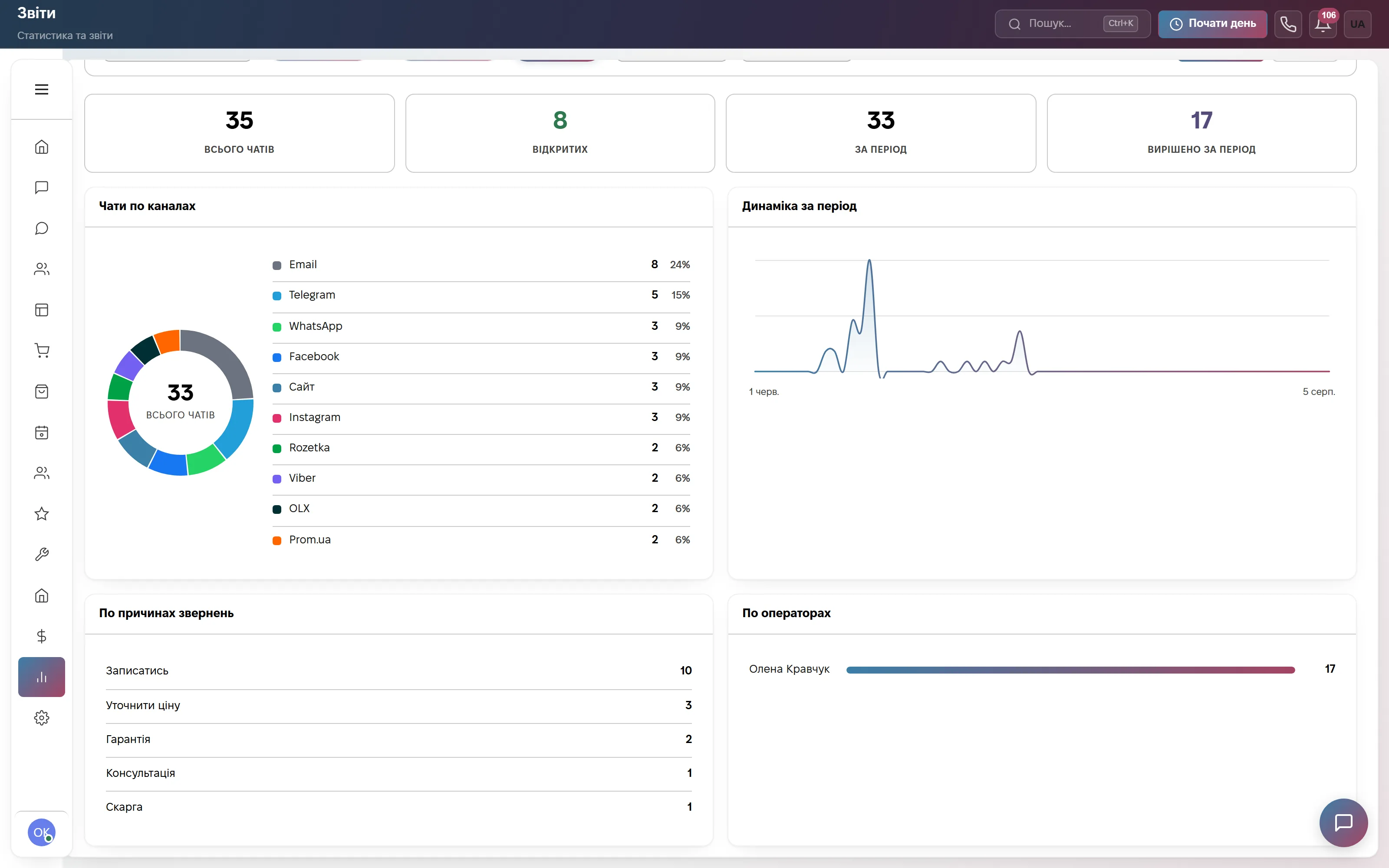
Team and response time
The Reports section is a grid of tiles: Chats, Response time, Calls, Team, Reasons, Clients and more; below it is Chat analytics with open and resolved dialogs, chats by channel and a trend for the period.
The Team ranking compares operators by calls, answer rate and talk time; Response time does the same for chats, per operator. It is material for a briefing and a review, not a live queue wallboard.

Why they call and write
The chat report splits requests by reason for contact and by operator. The operator picks the reason from the Reason for contact list, which is shared by chats, calls and tickets, so a call and a conversation about the same thing land in one category.
For a call center this answers what exactly overloads the line, and it is the basis for scripts and bot replies. The reason has to be set by the operator: it is not detected automatically.
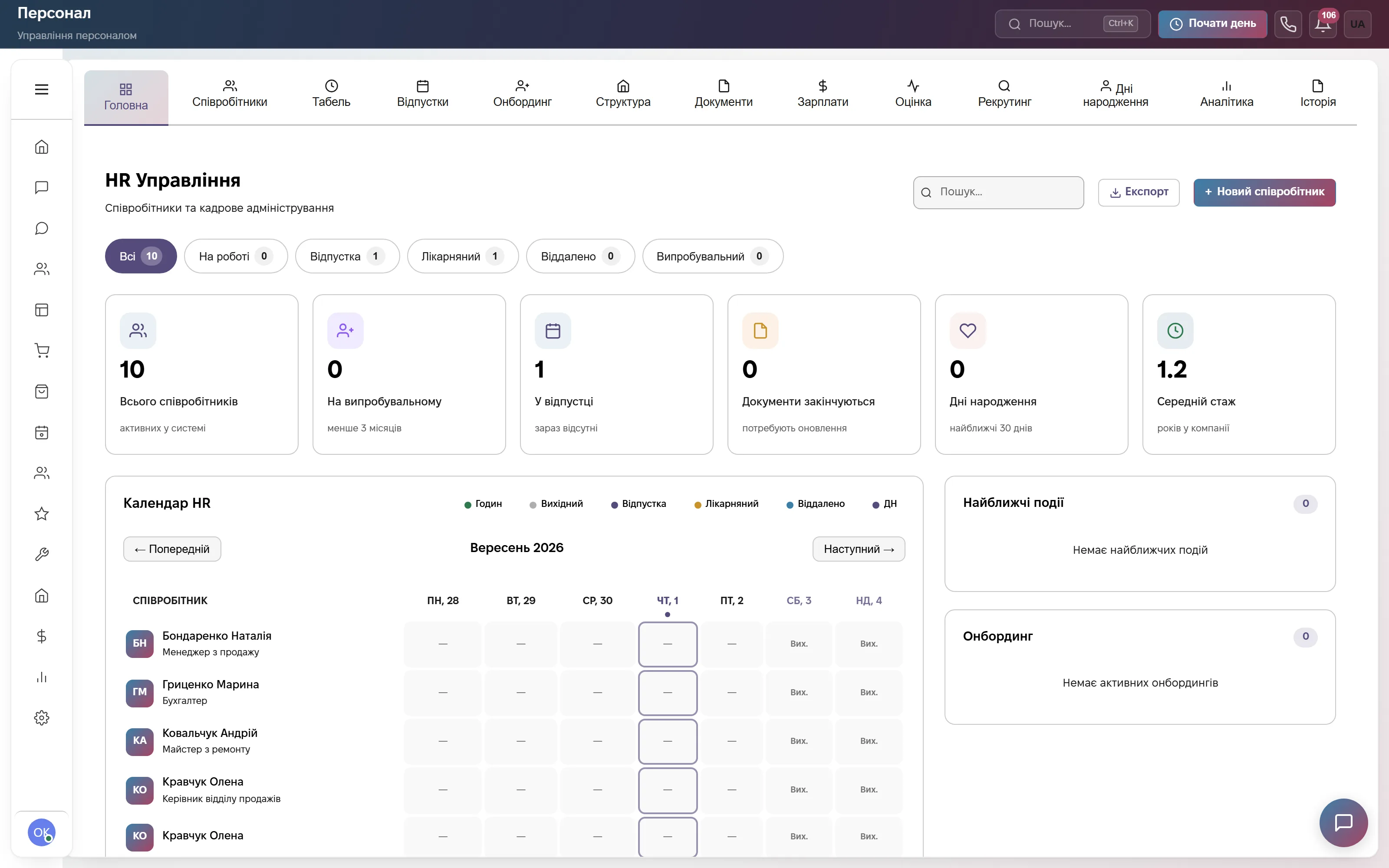
Operator shift and timesheet
The HR section has a home screen with employee stats, a month calendar marked Hours, Day off, Vacation, Sick leave and Remote, and tabs for Timesheet, Vacations and Payroll. The header has a Start work button.
The operator starts the day, takes a Break, then Resume and Finish, and colleagues see the status. To stop incoming calls during a break, the operator switches off On duty: the browser declines the call and others pick it up. The HR module is part of the «Everything included» plan.
Which modules to turn on
What it costs
Site chat, messengers and a three-step bot. One user, 600 replies a month. No calls here. Forever, no card.
Browser calls, chats and messengers, call-back tasks, tickets, mailings, deals and documents. Team of up to 3, then +200 ₴ per user.
Adds HR with a timesheet, automations, the client portal for tickets, appointments, orders, warehouse and finance. Team of up to 10, then +200 ₴ per user.
Quarterly billing is 8% off, yearly 17% off. Rozetka, Prom and Nova Poshta integrations are not charged separately.
Frequently asked questions
How are incoming calls distributed among operators?
An incoming call rings every operator who is On duty, and whoever picks up first takes it. If an operator presses Decline, colleagues see a call waiting banner. A call can be transferred to a colleague mid-conversation. Operators who switch off On duty get no incoming calls.
How much does a CRM for a call center cost?
The Communication plan is 900 ₴ a month per company for up to 3 users, then +200 ₴ per extra user. For 10 operators that is 900 + 7 × 200 = 2,300 ₴, while «Everything included» with a team of up to 10 costs 2,200 ₴. Paying for a quarter takes 8% off, for a year 17% off. The first 14 days are free, no card.
What happens to a missed call?
A Call back: number task is created with high priority and a deadline in 2 hours. If the same number was missed three times, there is still one task. In the Call back queue a failed attempt only raises the Attempts counter, and the outcome of a call is picked from Talked, No pickup, Call back, Refused and Wrong number.
Are there call recordings and quality control?
A recording shows up in the call log only if the telephony provider supplies it: the CRM does not record conversations. Reports show calls by operator, the longest and the missed, with Excel export. Scoring conversations against a checklist and live listen-in are not implemented.
Is this a full contact-center platform?
No. There is no voice menu (IVR), no auto-dialer, no live queue wallboard with wait time and abandon rate, no skill-based routing and no call script screen. Calls are taken only in the browser. It is a CRM with telephony for a small team. Data is stored on servers in Europe (Hetzner), the provider is sole proprietor Lazukina Viktoriia Anatoliivna, Ukraine; terms are in the public offer on the site.
See calls and chats live
A demo account with chats, a few calls and a call log, no signup; its HR section is empty, so try the timesheet in the trial. Or try the full plan free for 14 days, no card required.