
ModalCRM integration with Checkbox
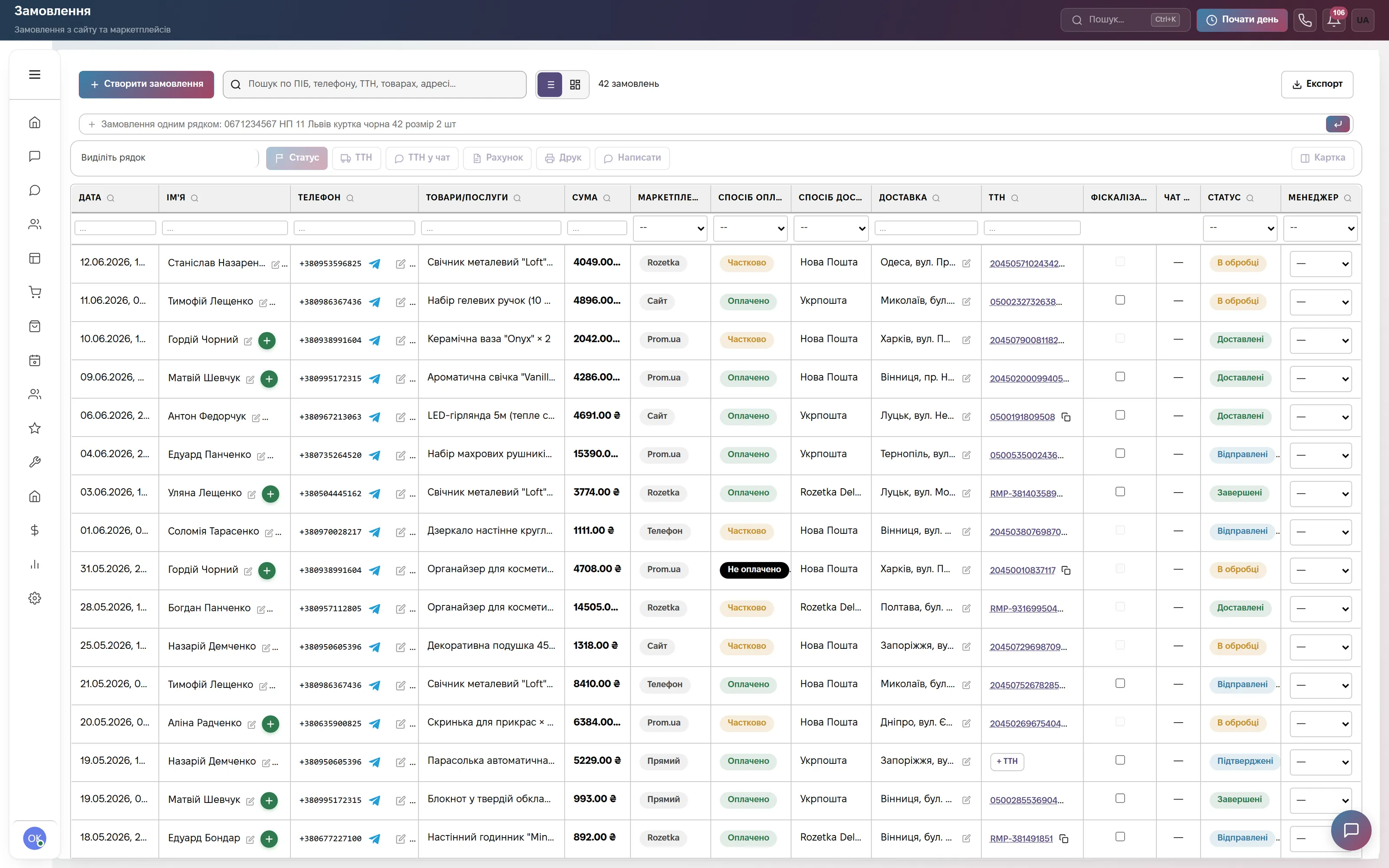
No more issuing receipts separately from the CRM. As soon as an order becomes paid — by hand, from a marketplace or from a bank statement — the CRM creates the receipt in Checkbox and puts its link into the order. The shift opens with the first receipt and closes with a Z-report in the evening.
What the integration gives you
How to connect
- In your Checkbox account copy the cash register license key (License Key), the cashier login and password, and the PIN if one is set.
- In the CRM open Settings → Integrations → the “Services” block → the “Checkbox RRO” card, paste the data and click “Test Connection”.
- Turn on “Auto-fiscalize orders”, enter tax groups for VAT rates if needed and save.
What else happens when an order becomes paid is in the help center: Order statuses and stock. If the test says the cashier needs a signature (QES), upload it in your Checkbox account.
Frequently asked questions
How much does the Checkbox integration cost?
Nothing extra. Receipts for orders work in the Commerce plan, receipts for appointment payments in the Bookings plan, each 900 ₴ a month per company, and Everything included has both. The cash register license is paid to Checkbox at its rates.
How does the CRM choose cash or card on the receipt?
For a manual receipt you choose “Cash” or “Card”. For an automatic one the CRM looks at the “Payment method” field of the order: if it says cash, the receipt is cash, in all other cases it is by card.
What happens if a receipt fails?
The reason shows up in the order card next to the “Retry fiscalization” button. The CRM retries by itself every 30 minutes, up to five times, and after that when you click the button. One order never gets two receipts.
Who can connect Checkbox?
An employee allowed to manage settings. No developer needed: the cash register license key and the cashier data from your Checkbox account are enough.
We will connect Checkbox together with you
Write in the site chat or to info@modalcrm.com — we help with the cash register data and check the first receipt. The first 14 days are free, no card.