CRM for a service center
A repair log in Excel, and the customer calls to ask if it’s ready — that’s what repair tracking looks like without a system. ModalCRM turns every request into a numbered ticket: the operator creates it from a chat or by hand, and customers can file one themselves through a Telegram bot. The ticket moves through statuses from intake to pickup, and the customer follows the progress by link or in their own account. Tickets and the client portal come with the Everything included plan — 2 200 ₴ a month per company of up to 10 people.
A ticket with a number, a device and a customer — in one list
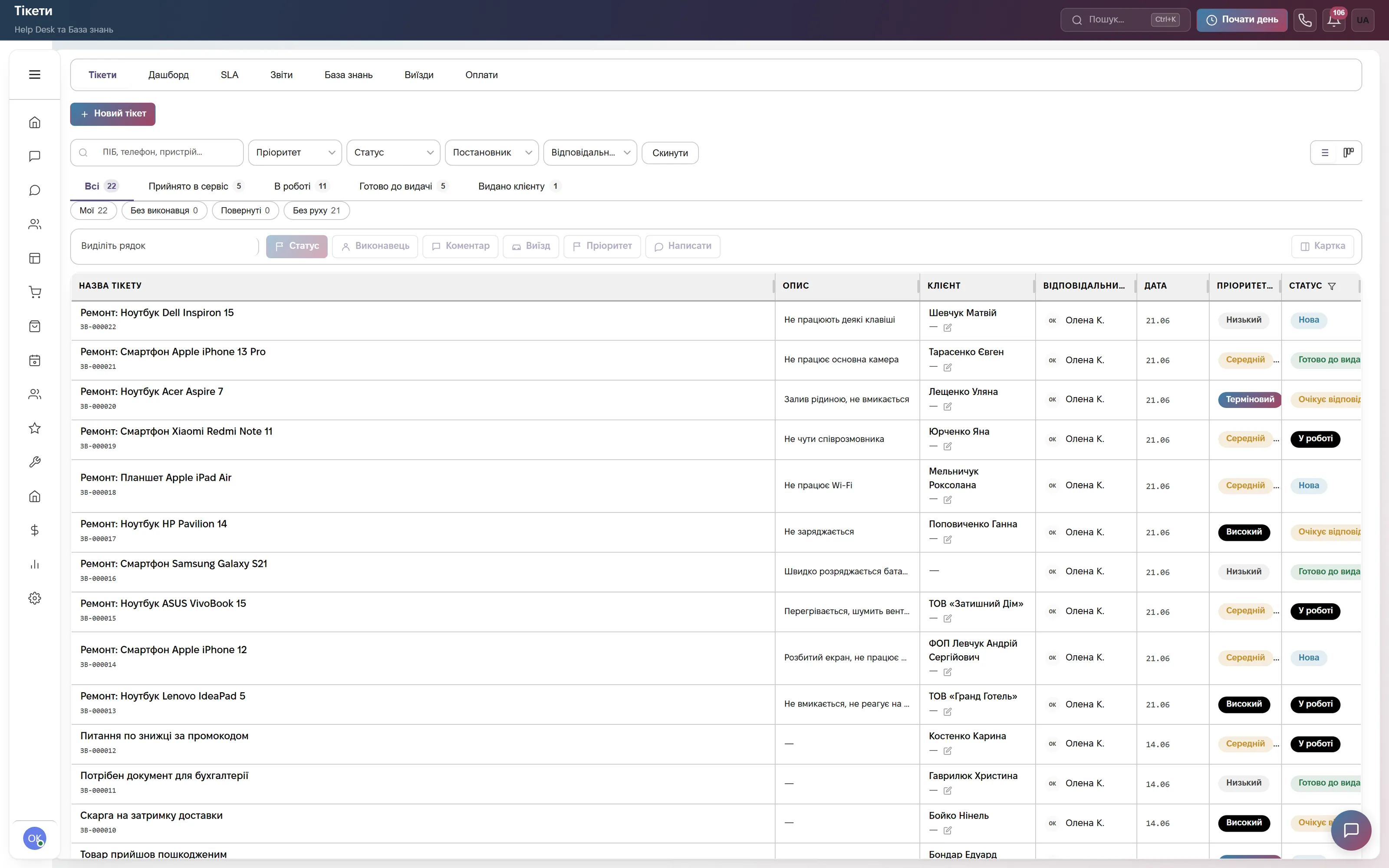
A ticket list with search by name, phone or device model, tabs for “Received”, “In Progress”, “Ready for Pickup”, “Handed Over” with a counter on each. The ticket card holds the brand, model, serial number, included accessories and visible condition of the device, the unlock password, the assignee and priority.
A ticket is created by hand, straight from the conversation with the customer, or filed by the customer through a Telegram bot — the number, SLA deadline and tracking link appear right away. The ticket list exports to Excel.
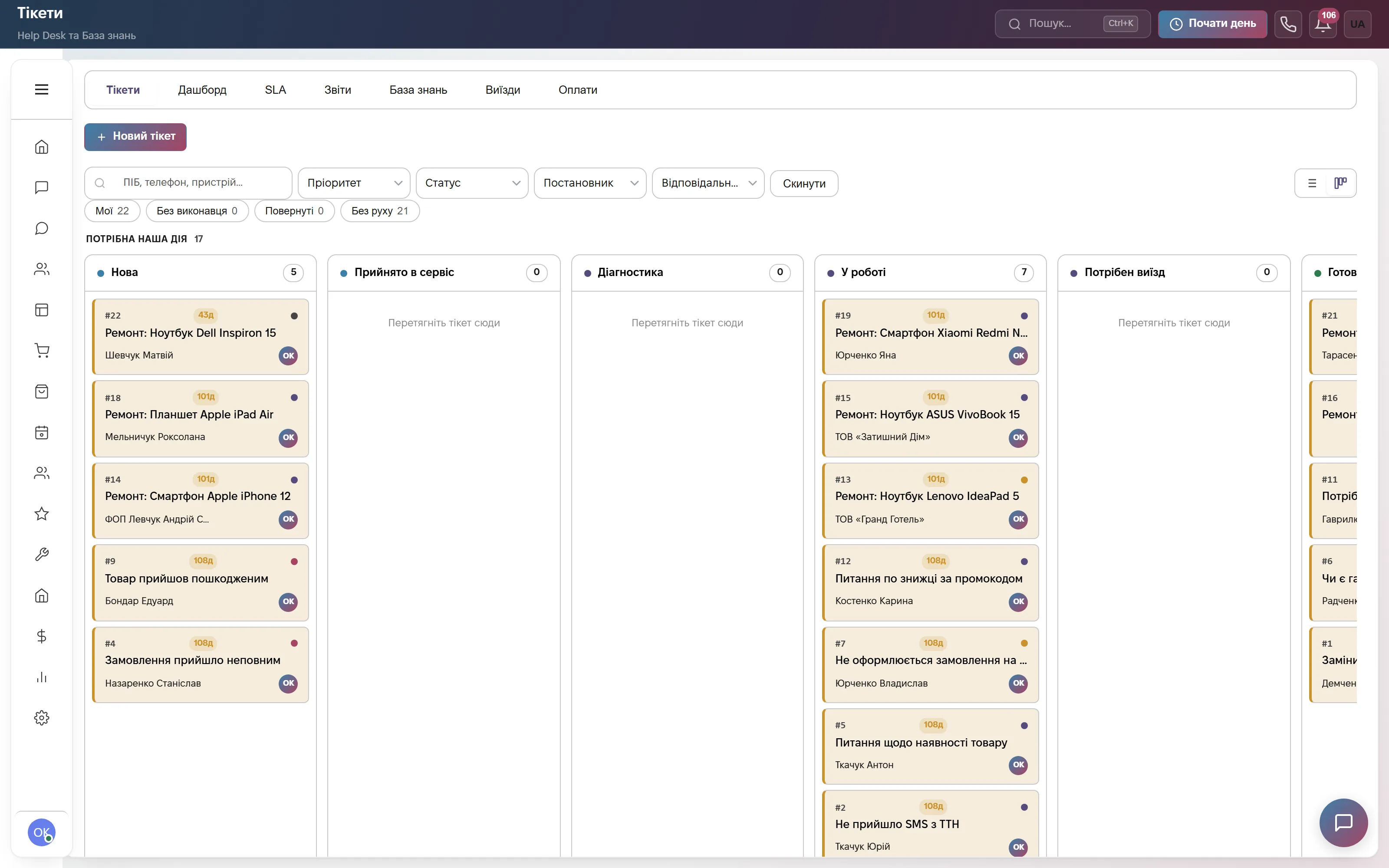
A status kanban: what’s next, and whose move it is
15 internal statuses — from “New” and “Diagnostics” to “Ready for Pickup” and “Handed Over” — grouped by whose turn it is to act: yours, the customer’s or the parts supplier’s. Drag a card into “Awaiting Approval” and CRM requires an estimate amount; into “Awaiting Parts”, an expected date; into “Closed”, a breakdown reason; into “Handed Over”, who it was handed to.
The customer never sees those 15 statuses: on the tracking page and in the portal they see only five — accepted, in progress, waiting on you, ready, closed. The technician works with the detail, the customer gets a clear, jargon-free status.
Reports: breakdown reasons, repeat visits, ticket channels
Tickets broken down by breakdown reason, device, category, channel and priority show what fails most often and where tickets come from — chat, call, email or the website form. A separate “Repeat” report flags customers who came back with the same device.
The “Flow” report shows how many tickets were received, closed and still open over a period; “By item” shows which parts and services end up in tickets most often.

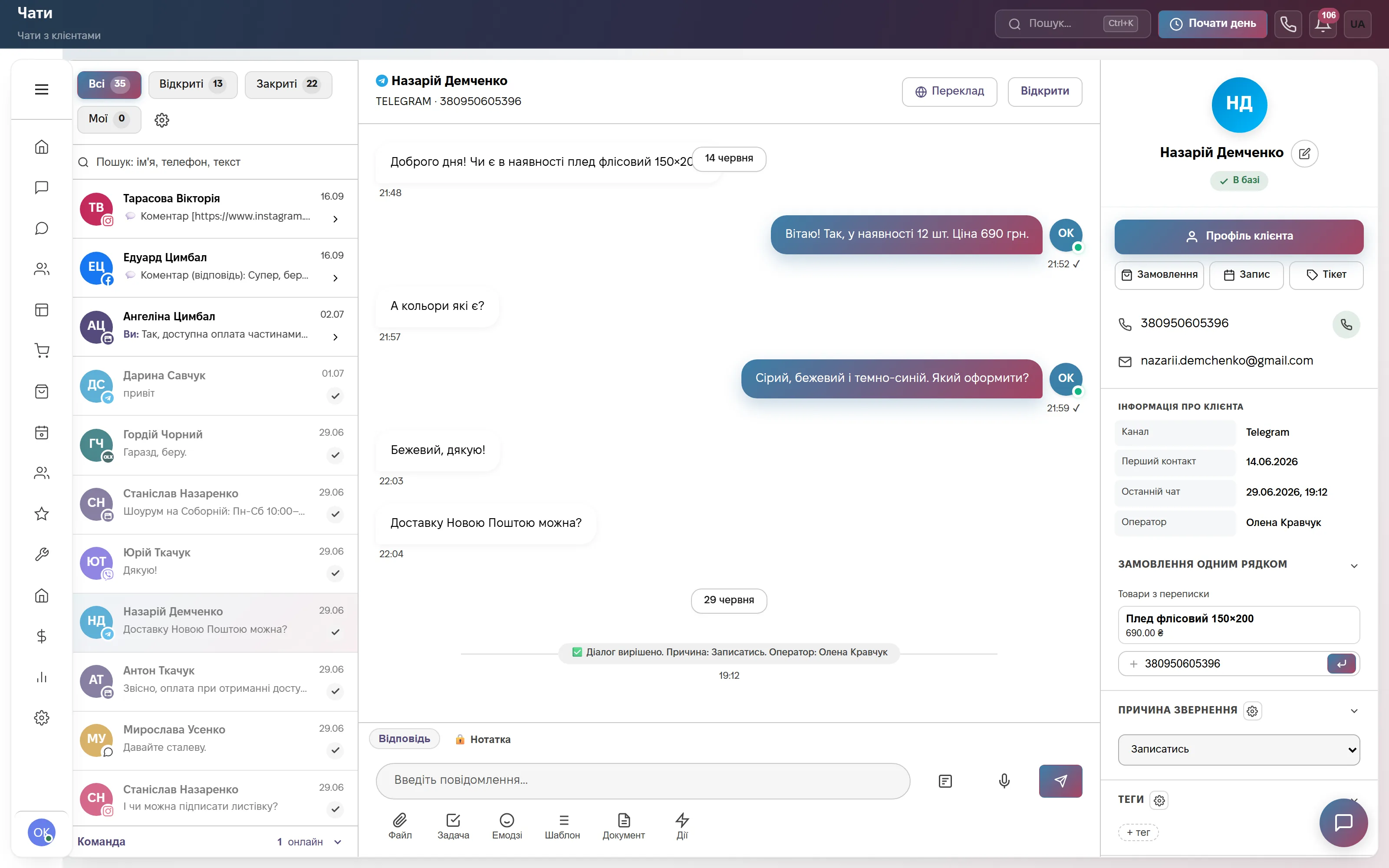
A ticket straight from the chat — no switching windows
A customer writes on Telegram, Viber, WhatsApp, Instagram, Facebook or the site chat — the operator creates a ticket right from the conversation: the customer, phone and email are pulled from the chat automatically, and the ticket number plus a tracking link go straight back into that same chat.
The message history stays linked to the ticket: the technician sees what the customer actually said about the problem, without asking again. The chat and the ticket sit in one window, not two separate tools.
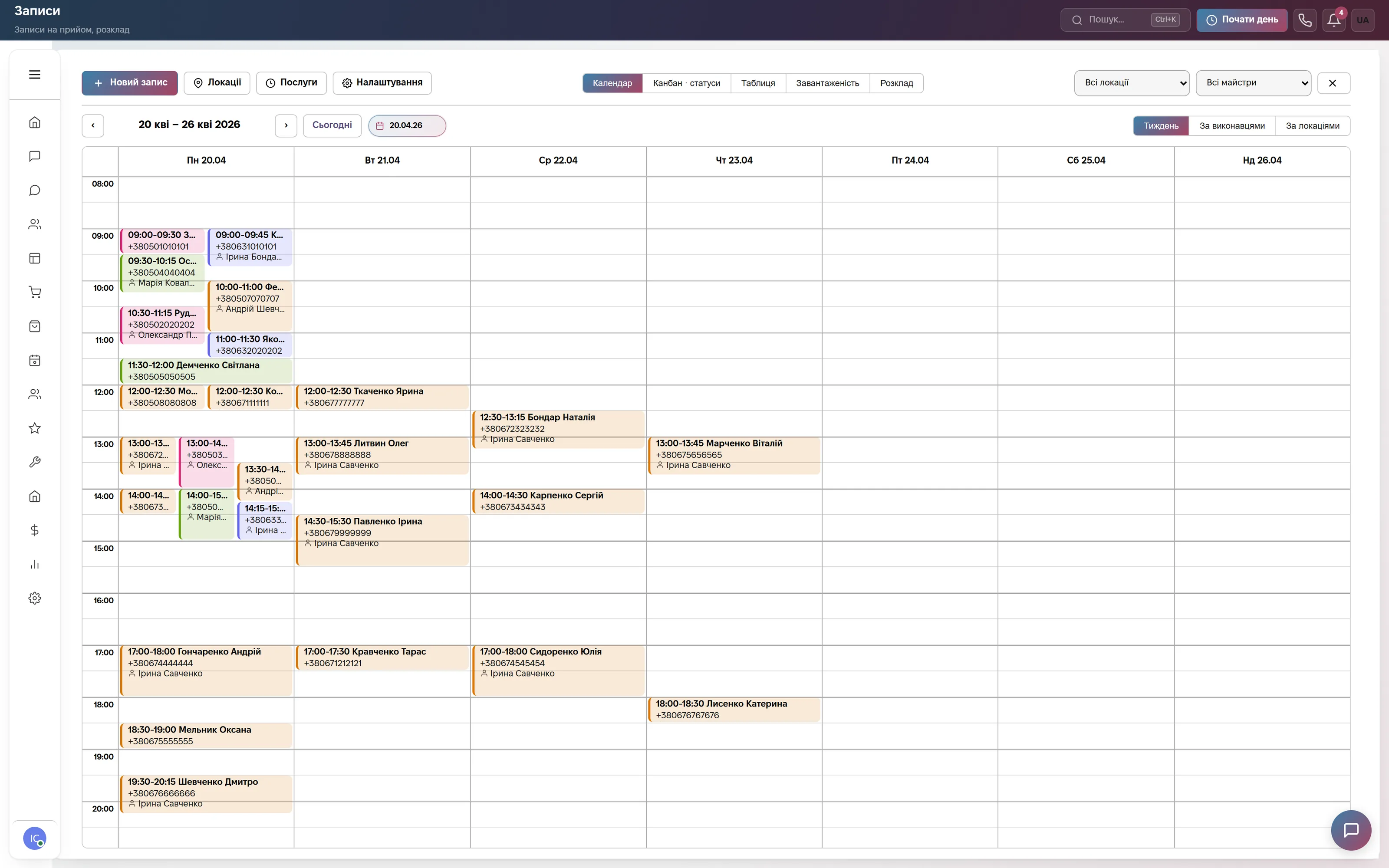
Booking a repair online — the customer picks the technician’s time
The customer books on their own through an online booking page or a website widget: picks a service, a technician and a free slot in their schedule — days off and other bookings are already accounted for.
A reminder goes out automatically a set time before the visit, and CRM closes past appointments on its own. Each technician has their own calendar, not one shared mess for the whole team.
Which modules to turn on
What it costs
Site chat, messengers and a three-step bot. One user, 600 replies a month. Forever, no card.
Tickets with statuses, SLA and breakdown reasons, a client portal, appointment booking and technician schedules, plus chats, calls, trade, HR and automations. Team of up to 10, then +200 ₴ per user.
Unlimited team, integrations with your systems, your own branding, a personal manager.
Quarterly billing is 8% off, yearly 17% off. Rozetka, Prom and Nova Poshta integrations are not charged separately.
Frequently asked questions
What is a CRM for a service center, and how is it better than an Excel log?
It’s a service center program and a repair-shop CRM at once: every request becomes a numbered ticket with a status and a deadline, not a row in a spreadsheet. Tickets are created from a chat or by hand, move through statuses from intake to pickup, and you can always see who’s responsible right now.
Can the customer see the repair status themselves?
Yes. The customer gets a tracking link, no password needed: “Received · Diagnostics · Approval · Repair · Ready”. On that same page they approve or decline the repair estimate, and after pickup they leave a 1-to-5 rating. Repeat customers also get a client portal with one-time-code login.
Is there SLA tracking and repair deadlines?
Yes. Each ticket gets a first-response deadline and a resolution deadline; CRM won’t let a ticket move to “Awaiting Approval” without an estimate amount, or to “Awaiting Parts” without an expected date. You end up with a full repair record: what broke, when, why, how much it cost and how long it took.
How does CRM help track breakdowns and repeat visits?
CRM won’t let you close a ticket without a breakdown reason — reports then show what fails most often, by device and by channel, and a separate report flags customers who came back with the same device. Warranty and paid repairs are marked separately, and CRM generates the intake act and the invoice from the ticket’s line items itself.
Where is the service center’s data stored?
On servers in Europe (Hetzner). The provider is sole proprietor Viktoriia Lazukina, Ukraine; the terms are the public offer on the website.
See it on live data
A demo account with tickets, statuses and a client portal — no sign-up. Or 14 days of the full plan free, no card.